
GivingTuesday is just around the corner, so in a couple of weeks, you’re going to start writing emails asking your supporters to give to your cause.
An impact-driven ask is a brief statement that highlights the impact of your work and connects your supporter directly with the outcome of their donation.
Why is this important?
People want to know that their money is going directly to help a cause. This knowledge motivates them to give.
Before (generic ask): "Please donate to support our youth programs this GivingTuesday. Every dollar counts and helps us continue our important work in the community."
After (impact-driven ask): "This GivingTuesday, your $50 donation will put a backpack full of school supplies in the hands of a child who otherwise would start the school year empty-handed. Last year, supporters like you helped us serve 350 students—this year, we're aiming for 500."
Step-by-step transformation guide
Step 1: Identify what's missing
Look at your current donation request and ask:
- Does it tell donors exactly what their money will do?
- Can a supporter visualize the change they're creating?
- Is there a specific, tangible outcome mentioned?
In the generic example above, "continue our important work" is vague and doesn't create a picture in the donor's mind.
Step 2: Get specific about impact
Transform abstract concepts into concrete outcomes:
- "Operating costs" → What do those costs accomplish?
- "Support programs" → What specific service or item does the program provide?
- "Help our mission" → What does mission success look like for one person?
Step 3: Add the human element
Connect the donation to a real person or family:
- Who specifically benefits?
- What changes in their life?
- What problem gets solved?
Step 4: Quantify when possible
Include numbers that create clarity:
- Dollar amounts ($50, $100, $25)
- Quantities (100 meals, 5 families, 20 students)
- Timeframes (one month, this winter, a full school year)
Step 5: Create urgency and context
Tie it to GivingTuesday specifically:
- Reference the season or timing
- Include past success or future goals
- Show momentum ("Last year...this year...")
The formula
Generic ask formula: "Donate to [organization/cause]"
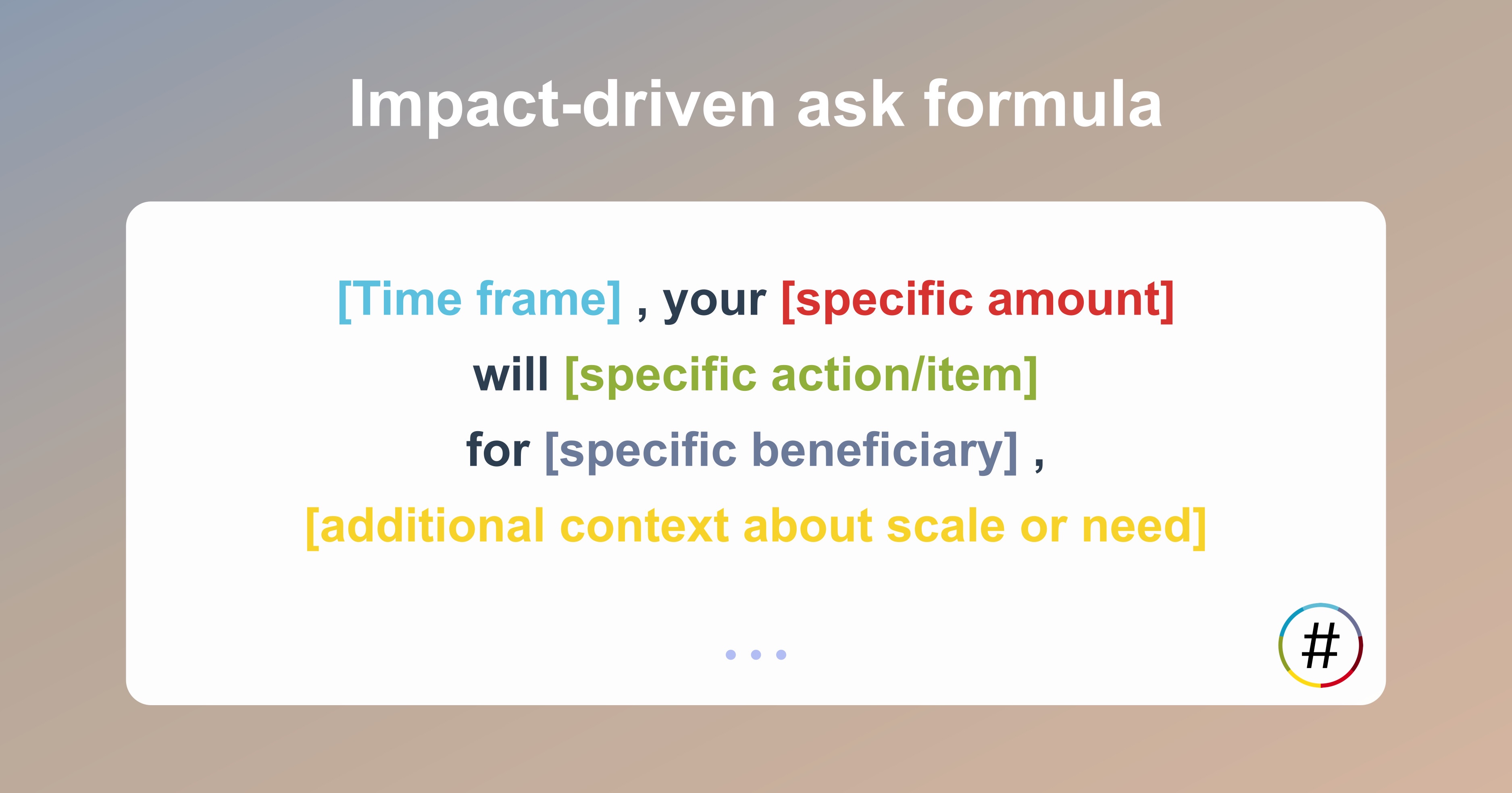
Impact statement formula: "[Time frame], your [specific amount] will [specific action/item] for [specific beneficiary], [additional context about scale or need]"
Your turn: Write your impact-driven ask today
Before you sit down to draft your GivingTuesday emails, take 15 minutes to craft your impact-driven ask using this formula. Write it down. Test it on a colleague or board member. Ask yourself: "Would I be moved to donate based on this message?"
Remember, your supporters want to be heroes in someone's story. They just need you to show them exactly how. By transforming vague requests into vivid, specific calls to action, you're not just asking for money; you're inviting people into a tangible moment of change.
This GivingTuesday, don't let generic language stand between your mission and the people who want to support it. Get specific, get personal, and watch your supporters respond to the clear impact they can make.
Now go write that ask! Your cause (and your donors) will thank you for it.
