
Official response from Kara Barlow
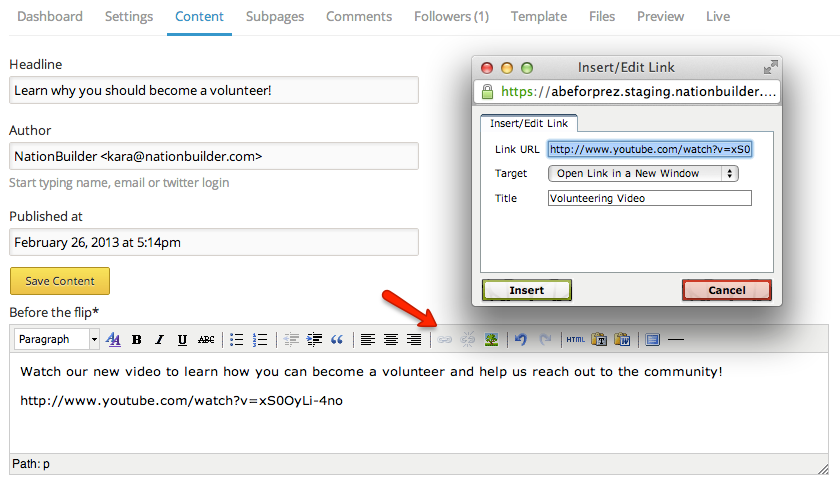
In order to insert links to other pages on your website or other websites on the internet you use the link button on your content editor's toolbar.
From within your page's content tab (or corresponding tab that brings you to the page's content editor) highlight the text that you want to turn into a link. Then click on the link icon in the toolbar, and you will get a pop-up window prompting you to insert the url of the page you want to link to. Set the target to open the link in the same window or in a different windor. You can also un-link highlighted text using the un-link icon in the toolbar.
Share this post
Showing 1 reaction
Sign in with